
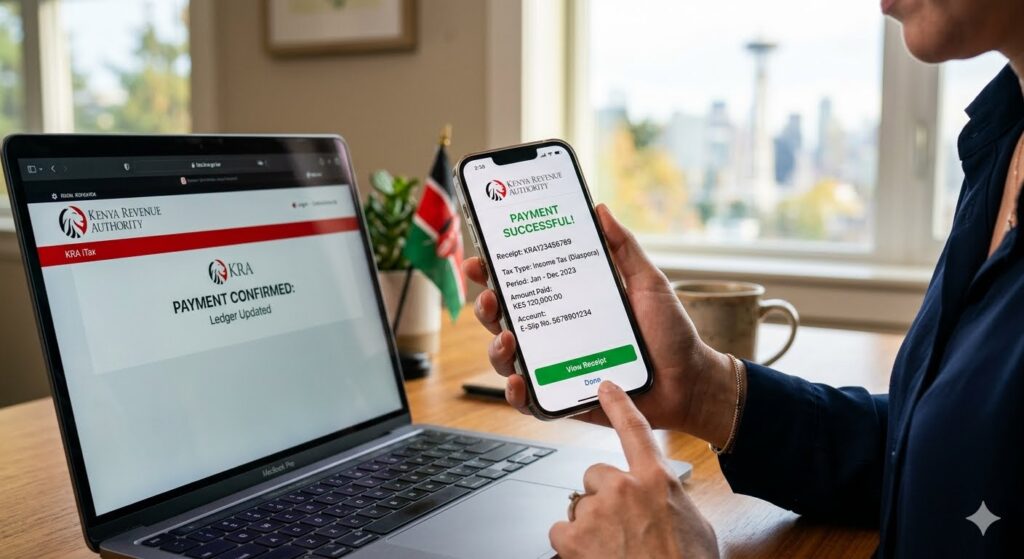
How to Remit KRA Taxes Safely from the US Using the KRA Mobile App
For Kenyans living and working in the United States, keeping your tax records straight with the Kenya Revenue Authority (KRA) is vital for protecting your local investments. Whether you are clearing land taxes, paying monthly rental income, or filing an annual income return, staying compliant ensures your KRA PIN remains clean and active.
However, paying taxes from abroad can sometimes open the door to online fraud. Cybercriminals often share fake paybill numbers online to intercept money meant for the government. To stop this, the KRA has streamlined digital payments, allowing taxpayers in the diaspora to generate payment numbers and securely settle balances directly from their phones.
The official platform for mobile users is the KRA M-Service App. Here is a step-by-step guide on how to safely remit your Kenyan taxes from the United States without falling victim to scams.
1. Step 1: Set Up the Official KRA M-Service App
Before doing anything else, make sure you download the correct software to avoid copycat applications designed to steal your information.
- Download: Open the Google Play Store or Apple App Store and download the verified KRA M-Service App on Google Play.
- Registration: If you already have a KRA PIN, select the login option. If your phone’s region settings are set to the US and you encounter network verification issues, make sure your roaming Safaricom SIM card is active and receiving SMS messages, as the system may send a One-Time Password (OTP) to your registered number.
2. Step 2: File Your Return and Generate an E-Slip Number
You cannot simply send money to KRA without a Payment Registration Number (PRN), which is also known as an E-Slip. The E-Slip acts as an invoice, mapping your payment directly to your specific tax head (such as Income Tax or Rental Income) and tax period.
- Log into your profile on the app using your KRA PIN and password.
- Navigate to the Payments tab and select Payment Registration.
- Choose the appropriate Tax Head and the specific sub-head you want to settle.
- Input the exact tax amount due. The system will auto-populate figures if you have already filed an active return.
- Click submit to generate a unique E-Slip number. Download or copy this number immediately, as it is your only secure ticket to making a payment.
3. Step 3: Safely Remit the Payment from the US
Once you have your E-Slip number, you can pay using mobile money platforms. KRA uses the centralized government payment gateway, which means there is only one legitimate channel for mobile money remittances.
Using an Active M-Pesa Roaming Line
If you keep your Safaricom SIM card active in the US, you can pay directly through your phone: [1]
- Open your M-Pesa menu or use the M-Pesa App.
- Select Lipa na M-Pesa followed by Paybill.
- Enter the official, unified Government Paybill Number: 222222.
- For the Account Number, enter the unique E-Slip number you generated from the KRA app.
- Enter the exact amount in Kenya Shillings, verify that the eCitizen payment gateway name appears on your screen, and enter your PIN to authorize.
Using US Bank Accounts or Remittance Apps
If you do not have an active M-Pesa line, you can use international money transfer apps (like Wave, Sendwave, or Remitly) to send the exact tax amount directly to a trusted relative’s or caregiver’s M-Pesa line in Kenya. They can then use the official 222222 Paybill and input your E-Slip number as the account identifier to complete the tax deposit safely on your behalf.
4. Crucial Security Rules for Diaspora Taxpayers
The KRA regularly issues fraud alerts to protect taxpayers from scams. When remitting money from America, always keep these three rules in mind:
- Watch the Paybill: KRA has moved all mobile money payments away from older corporate paybills. The only valid code is 222222. Any other paybill sent via WhatsApp or email claiming to belong to KRA is a scam. [1, 2, 3]
- Track the Exchange Rate: KRA calculates your liabilities in Kenya Shillings (KES). If you are sending money from a US bank account, check the day’s exchange rate on your remittance app to make sure the final amount arriving in Kenya fully covers the KES value on your E-Slip.
- Verify Receipts: After making a payment, log back into the app or visit the KRA iTax Portal to download your official payment receipt, confirming your ledger balances have been updated correctly. [1, 2]
Quick-Scan Remittance Roadmap
| Phase [1, 2, 3, 4, 5, 6, 7] | What to Do | Key Safety Metric |
|---|---|---|
| 1. App Setup | Install the official M-Service App | Verify the publisher is Kenya Revenue Authority. |
| 2. Invoice | Generate an E-Slip / PRN number | Matches your specific KRA PIN and tax year. |
| 3. Payment | Pay via mobile money system | Use Paybill 222222 with the E-Slip as the Account. |
| 4. Audit | Download the transaction advice receipt | Confirms your balance on the portal has dropped to zero. |
Published by Dan Barasa, The C.E.O Wakenyatv
