
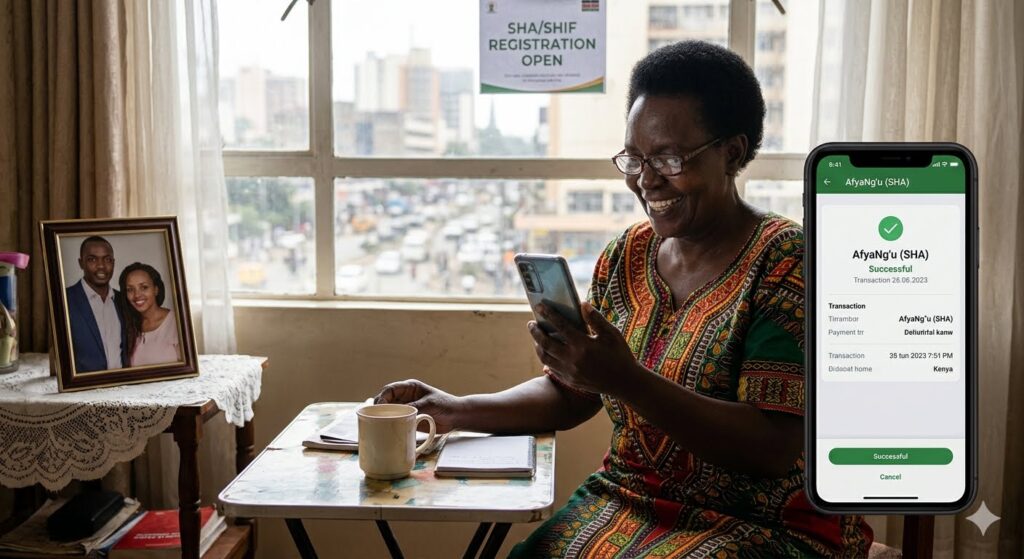
Diaspora Guide: How to Register and Pay SHIF for Your Parents in Kenya
For Kenyans living in the diaspora, one of the biggest sources of anxiety is the health of aging parents back home. In the past, managing emergency medical bills meant scrambling to send lump-sum remittances through digital channels while local care was delayed.
With Kenya’s transition from the National Hospital Insurance Fund (NHIF) to the Social Health Authority (SHA), the healthcare landscape has changed completely.
The older NHIF system has been replaced by the Social Health Insurance Fund (SHIF), the Primary Healthcare Fund, and the Emergency, Chronic, and Critical Illness Fund. Under the new laws, registration is mandatory for all residents. If you want to ensure your parents can seamlessly access inpatient and outpatient treatment without financial friction, setting up their SHIF profile is the most important step you can take.
Here is a practical, step-by-step guide for diaspora Kenyans on how to register, declare dependents, and pay SHIF premiums for parents in Kenya.
1. Understanding the SHIF Rules for Parents
Before making any payments, it is critical to understand how the new SHA framework classifies family structures.
Under the statutory guidelines outlined in the SHA Voluntary Contributions Overview, a primary member’s principal household contribution automatically covers themselves, their spouse, and biological or legally adopted children under the age of 21.
Aging parents and in-laws cannot be listed as direct dependents under your own personal SHIF account. Instead, your parents must be registered as independent, principal heads of their own household in Kenya. Once their unique profile is created, you can log into their account from abroad and make payments on their behalf via integrated mobile systems.
2. Step 1: Registering Your Parents on the SHA Portal
If your parents were previously covered under NHIF, their data does not automatically migrate to active SHIF status; they require explicit fresh registration under the new authority.
- Go to the official Social Health Authority Portal or visit the unified digital service platform at afiangu.go.ke.
- Click on Register. You will need your parent’s National ID number and an active Kenyan mobile phone number to receive a one-time verification PIN (OTP).
- If your parents are not tech-savvy, you can manage this portal registration from abroad using their details. Ensure the phone number attached to the profile is accessible to them or to a trusted local caregiver who can relay the code.
3. Step 2: The Household Means-Testing Assessment
Unlike the old NHIF system which charged flat monthly premiums (e.g., KSh 500 for informal workers), SHIF implements a data-driven household means-testing assessment.
For retired parents, subsistence farmers, or self-employed individuals in the informal sector, the SHA system uses integrated proxies—drawing data from KRA, NSSF, and mobile money usage—to estimate household income.
- The Assessment Process: Once registered, you must fill out the household economic disclosure questionnaire on their behalf inside the profile.
- The Resulting Tariff: The system will immediately compute and display an annual contribution figure based on their economic tier. For parents with no formal monthly salary or business income, this tariff defaults to the statutory floor of KSh 300 per month (which equates to KSh 3,600 per year).
4. Step 3: How to Pay for SHIF from Abroad
Once the premium contribution is displayed on your parents’ dashboard, you have several reliable payment options to complete the transaction.
Method A: The Portal M-Pesa SDK Push (Recommended)
This is the easiest method if you maintain an active Safaricom line while living abroad.
- Log into your parent’s active account at afiangu.go.ke.
- Click Pay Premium on the dashboard homepage.
- Select whether you want to pay for 1 month (e.g., KSh 300) or upfront for 12 months (KSh 3,600). Paying annually is highly recommended for diaspora sponsors to avoid accidental monthly lapses.
- Input your active M-Pesa phone number (formatted starting with
07...or01..., not254...). - The system will send an automated M-Pesa SDK PIN prompt directly to your roaming handset. Enter your PIN to clear the payment instantly.
Method B: Direct eCitizen Paybill
If you prefer to send funds directly via mobile banking or an agent without accessing the portal:
- Open your mobile wallet or M-Pesa menu.
- Use the official, centralized Government Paybill Number: 222222.
- Enter the Account Number in the following format: SHA-[Your Parent’s National ID Number].
- Enter the required amount, confirm the name matches the eCitizen payment gateway, and enter your PIN.
Method C: Over-the-Counter Bank Deposits
If you have a local representative handling your affairs in Kenya, they can walk into accredited commercial partner banks (such as KCB or Equity Bank) and make a direct cash payment over the counter using your parent’s National ID number or their designated SH Client Registry Number.
5. Combining SHIF with Private Diaspora Insurance
While SHIF offers essential foundational protection—covering unlimited outpatient consultations at local Level 1 to Level 3 clinics and standard bed-day rates at major referral hospitals—most diaspora households choose to pair it with a secondary private policy.
According to statutory guidelines from the Insurance Regulatory Authority (IRA), private medical covers treat SHIF as the primary payer. Because SHIF bears the baseline costs, local insurance giants like the Jubilee Diaspora Health Insurance Scheme have been able to offer significantly lower premiums on supplementary family plans targeting parents over the age of 60.
Using SHIF for everyday management and a private plan for private-room accommodations ensures comprehensive protection without out-of-pocket stress.
Quick-Scan Payment Summary
| Step | Action Required | Critical Details |
|---|---|---|
| 1. Registration | Register parents at sha.go.ke | Requires Parent’s ID and an active phone number. |
| 2. Means Test | Complete the portal household survey | Determines the annual payment tier based on income. |
| 3. Premium Cost | Review the generated bill | Standard floor is KSh 300/month (KSh 3,600/year) for retirees. |
| 4. Settlement | Pay via M-Pesa or eCitizen Paybill | Use Paybill 222222 with Account SHA-[Parent’s ID]. |
Final Takeaway: Your M-Pesa line is too valuable to lose. Setting up the Safaricom Daima service or scheduling a recurring monthly calendar reminder to top up your line takes less than five minutes but saves you from the massive headache of losing your digital Kenyan identity.
Published by Dan Barasa, The C.E.O Wakenyatv
