
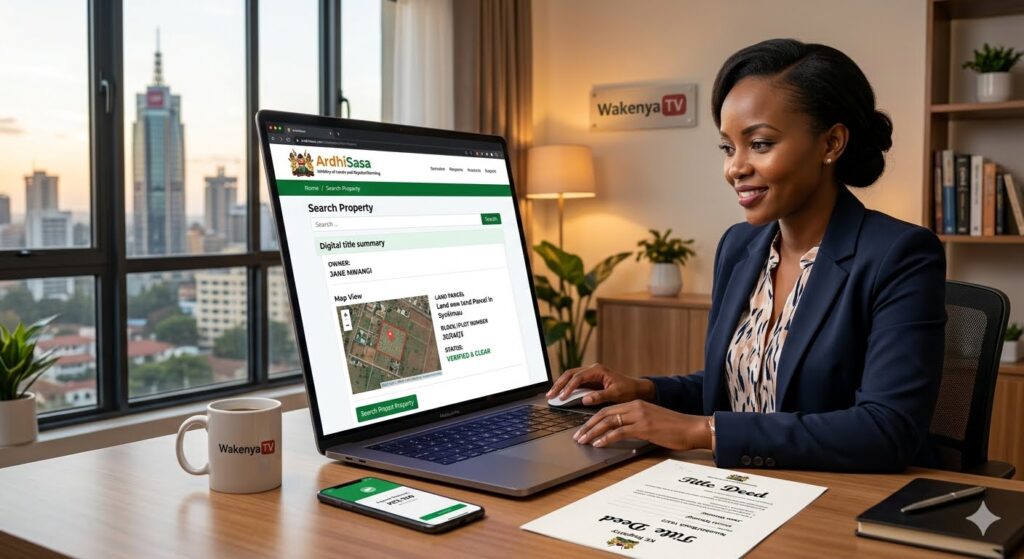
Step-by-Step Guide: How to Verify and Conduct a Land Search Online via ArdhiSasa Platform
For decades, the process of buying property or land in Kenya was fraught with administrative landmines. Fraudulent title deeds, double allocations of land parcels, missing physical land files, and corrupt middlemen often turned dream real estate investments into financial nightmares.
To permanently eradicate these vulnerabilities and streamline property registration, the Ministry of Lands and Physical Planning launched ArdhiSasa—a cutting-edge, centralized National Land Information System (NLIS).
Conducting an online land search is now a mandatory legal and financial step before purchasing any real estate in Kenya. Whether you are a local professional or a diaspora citizen looking to invest from abroad, this definitive step-by-step guide explains exactly how to create your profile, verify ownership, and execute an official land search via the ArdhiSasa digital platform safely.
Step 1: Account Creation and Verification (Individual vs. Corporate)
Before you can run any property check, you must have an active, verified account on the system. The platform maintains two distinct registration profiles: Individual Accounts for private buyers and Corporate Accounts for legal firms, surveyors, and commercial entities.
- Requirements for Registration: You will need a valid Kenyan National ID number (or your passport number if registering as a foreign citizen), an active local mobile phone number registered under your name via Safaricom or Airtel, a clean passport-sized photograph, and a valid email address.
- The Activation Process: Navigate directly to the system onboarding hub. Input your identity card details, and the platform will automatically cross-reference your data live with the National Registration Bureau (Integrated Population Registration System – IPRS). A secure One-Time Password (OTP) will be dispatched to your phone line to activate your portal profile.
- Official Dashboard Access: You can safely register and launch your digital identity configuration by visiting the official Ministry of Lands ArdhiSasa Portal.
Step 2: Adding and Verifying Your Property Details
Once your personal account is activated, you must navigate to the specific service menu dedicated to title deed verifications and ownership validation.
- Navigating the Dashboard: Click on the “Land Registration” service tab visible on your user interface layout. From the dropdown options, select “Search Property.”
- Inputting the Registry Index Number (RIN): You must obtain the exact Parcel Number or Title Number from the land seller or developer. Input this index into the search matrix. The modern system utilizes block-based numbering configurations (e.g., Nairobi/Block/123 or Kiambu/Maji-Mazuri/456).
- The Validation Layer: If the property has been successfully migrated to the new digital register by the land registry team, its core geometric parameters, maps, and current ownership status will populate your validation queue automatically.
Step 3: Authorizing the Search and Making Payment
To protect landowners from malicious or unauthorized profiling, the platform enforces strict security parameters. A land buyer can only initiate a search if the current registered property owner log opens their account and clicks “Authorize Search Request.”
- The Security Handshake: Once the seller approves your search invitation request on their side of the dashboard, you will be prompted to make the official statutory fee payment.
- Settling the Fee via Government Paybill: The statutory cost for an official digital land search is fixed at KES 550. The system integrates directly with the government’s centralized eCitizen payment engine.
- Payment Execution: Select the mobile money payment method, generate your unique transaction reference code, and clear the fee using the centralized eCitizen Paybill configuration. Never send cash to independent personal mobile numbers.
- Official Payment Verification: You can cross-check government billing terms or manage broader statutory clearances via the unified eCitizen Portal Gateway.
Step 4: Downloading and Interpreting the Official Search Certificate
The moment your payment clears through the digital engine, the system processes your request and issues an official Certificate of Land Search in a secure PDF format.
- Locating Your Document: Go to the “My Applications” or “History” tab on your dashboard menu. Download the stamped certificate directly onto your device.
- How to Read the Results: A genuine, high-quality land search certificate provides four crucial pieces of information that determine if a property is safe to buy:
- The Absolute Owner: Verifies if the name of the seller matches the exact legal name registered on the title deed document.
- Encumbrances and Charges: Discloses whether the land is currently charged to a bank as collateral for a commercial loan, or if there is an active court order blocking its sale.
- Caveats and Restrictions: Flags whether the land is under a dispute or listed as restricted public utility space.
- Nature of Tenure: Specifies whether the property is held under Freehold (absolute ownership forever) or Leasehold (ownership for a specific number of years, such as a 99-year lease).
Summary Security Protocol for Remote Investors
| Phase | Core Objective | Primary Digital Tool | Risk Terminated |
|---|---|---|---|
| 1 | User Identity Setup | ArdhiSasa System Access | Account Impersonation / Data Theft |
| 2 | Index Validation | Land Registration Tab | Non-existent Land / Wrong Parcel Plots |
| 3 | Statutory Payment | eCitizen Payment Engine | Middlemen Extortion / Fake Cash Receipts |
| 4 | Certificate Audit | Stamped PDF Review | Hidden Bank Loans / Disputed Family Caveats |
🚀 Final Expert Advice for Diaspora Property Buyers
While the digital land information system terminates the risk of title forgery, human oversight is still necessary. Once your digital land search returns a clean certificate, always hire an independent land surveyor registered with the Institution of Surveyors of Kenya (ISK) to conduct a physical ground verification using the coordinates provided on the registry map. This ensures the physical boundaries match the digital data.
Furthermore, ensure all your investment capital transfers are routed through secured, audited financial structures. For secure real estate transaction funding, you can leverage the specialized property units via the KCB Bank Diaspora Property Portal or clear large-value transactional capital securely through the institutional Equity Bank Diaspora Investments Desk.
Published By Dan Barasa, The C.E.O Wakenya TV
